
How to Enable International Calling on UpCentral
If your business needs to place calls to international numbers, follow these steps to enable the International Calling feature:
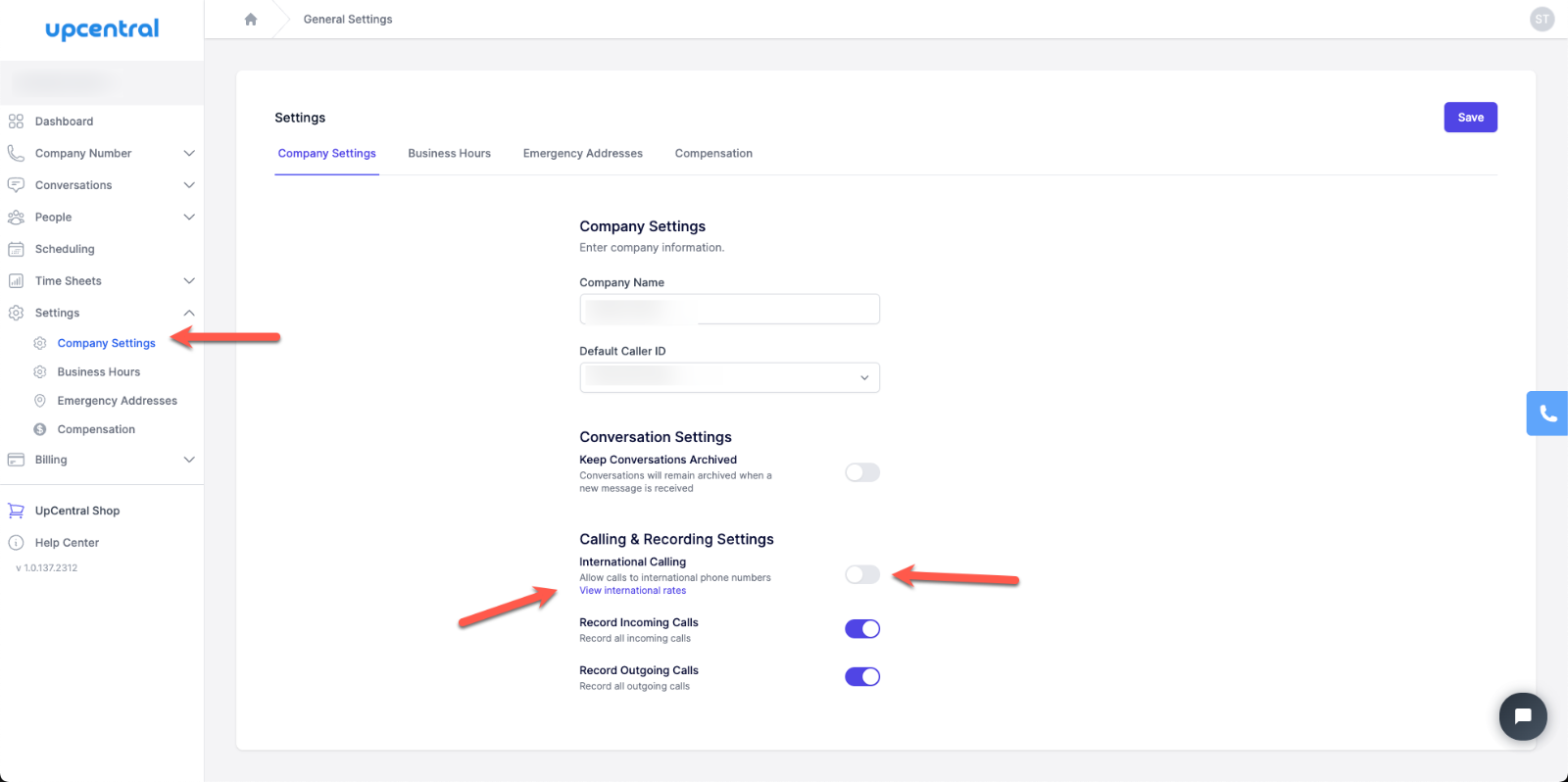
- Go to Company Settings- From the dashboard, click on Settings in the left-hand menu.- Select Company Settings from the submenu.
- Enable International Calling- Scroll down to the Calling & Recording Settings section.- Toggle the International Calling switch to the right.- A pop-up will appear explaining the terms.
- Confirm and Activate- Click Yes, enable international calling to confirm.- A $50 prepaid credit will be applied to your account to cover international call usage.- To avoid service interruption, your balance will automatically top up to $50 whenever it falls below $10.
- Review Rates (Optional)- Click on View international rates just below the toggle to see per-minute rates by country.
Notes
- The $50 deposit is not a fee—it’s prepaid credit used for your international calls.- Automatic top-ups ensure seamless calling without manual recharges.