
How Do I Assign a Conversation to Myself or Another Teammate?
On the the Conversation page, click on the "Assigned to" drop down list to select yourself or another team mate that you want to assign the conversation to.
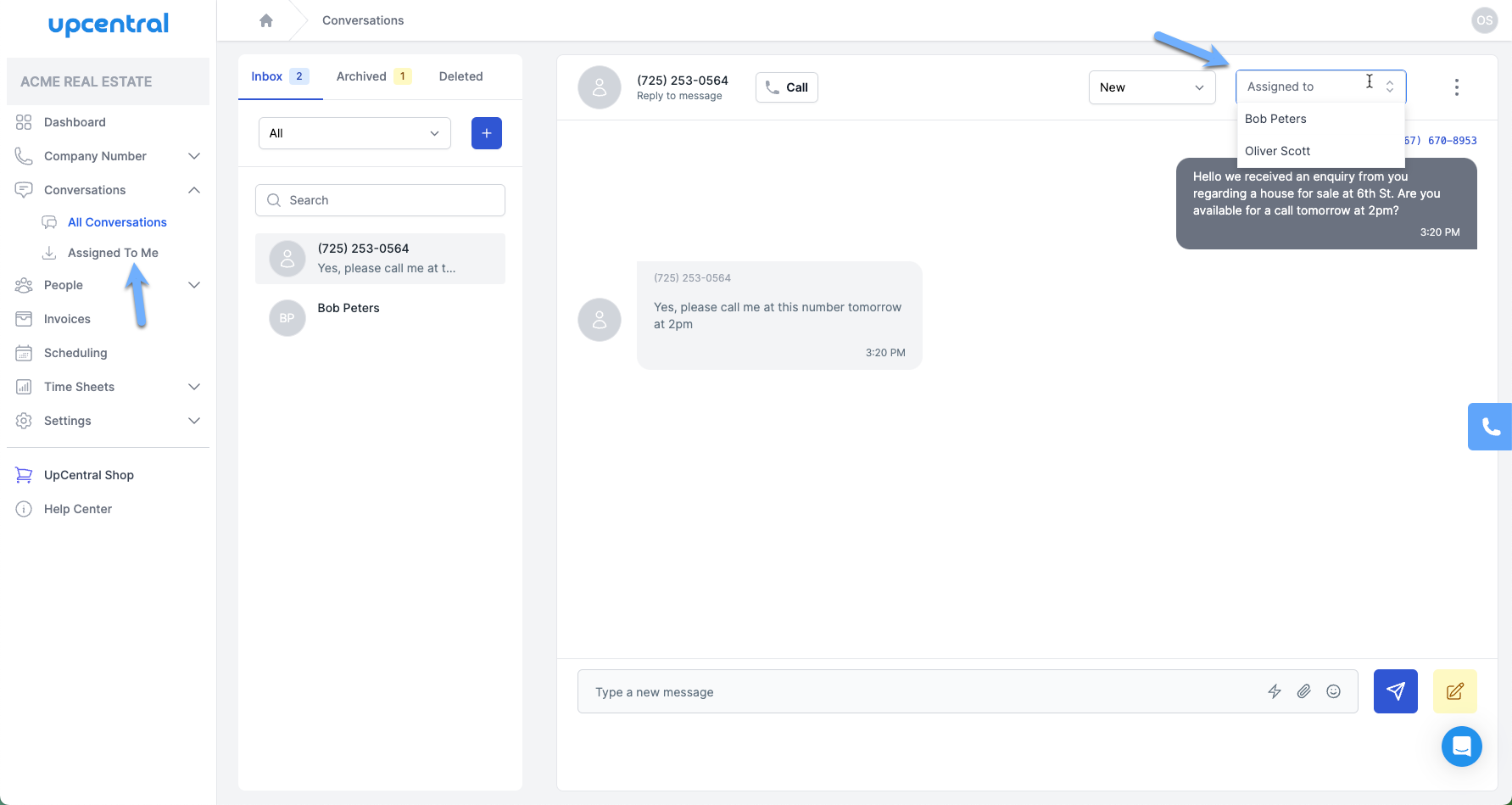
After assigning a conversation to a team member or yourself, select the 'Assigned to Me' option to filter and view only the conversations assigned to you.