How Do I Turn On Automatic Call Recording?
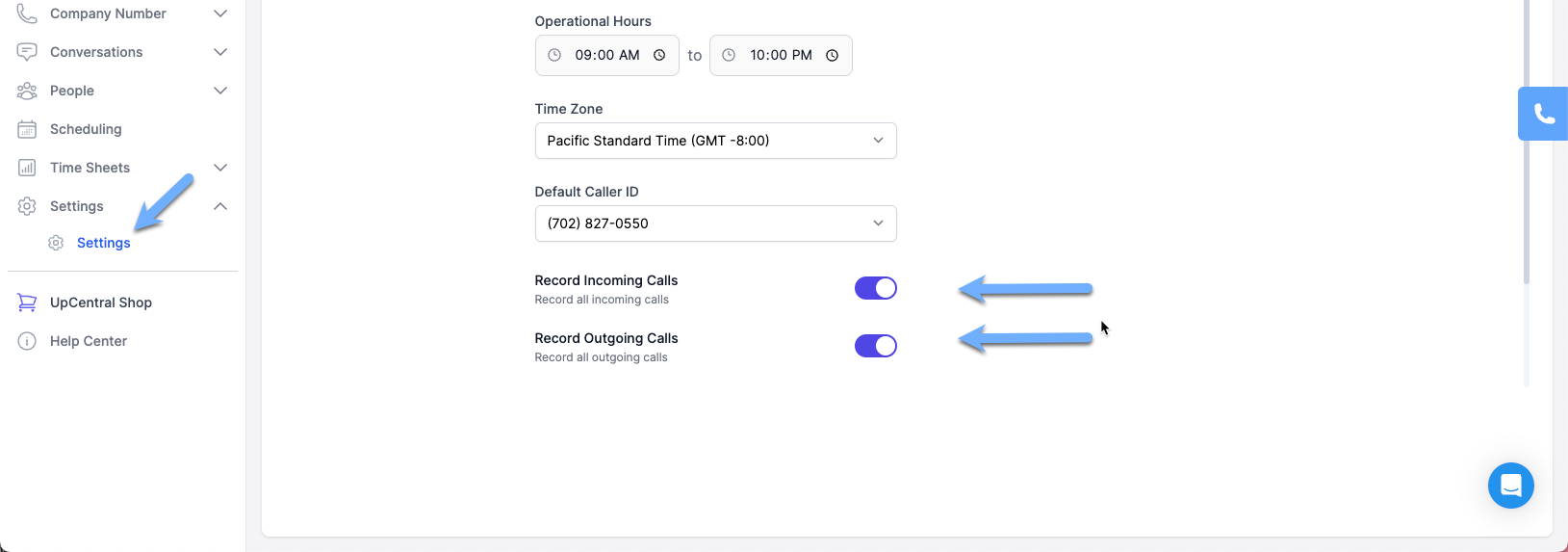
To enable automatic call recording, navigate to Settings -> Settings on the left navigation pane to turn them on. You have the option to only record incoming calls or outgoing calls or both.
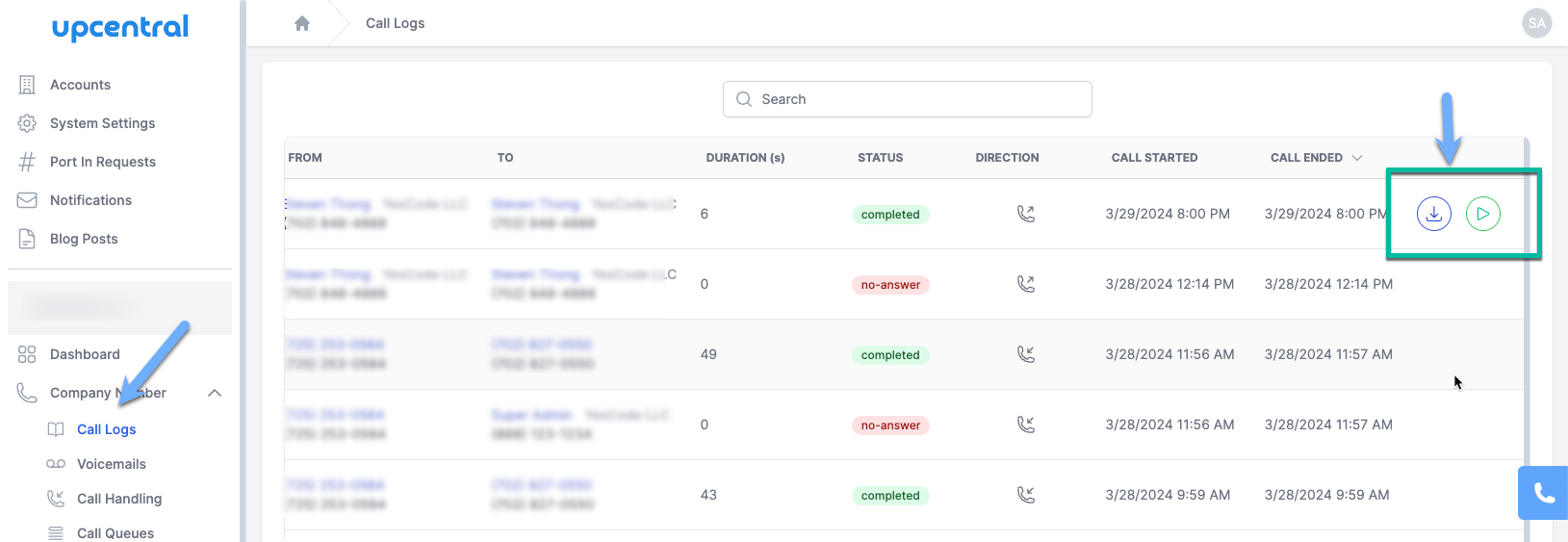
Once the call recording has been turned on, you can listen to recording on the Call Logs page under Company Number.