
How to Obtain SIP Credentials for Your VoIP Desk Phone/Equipment
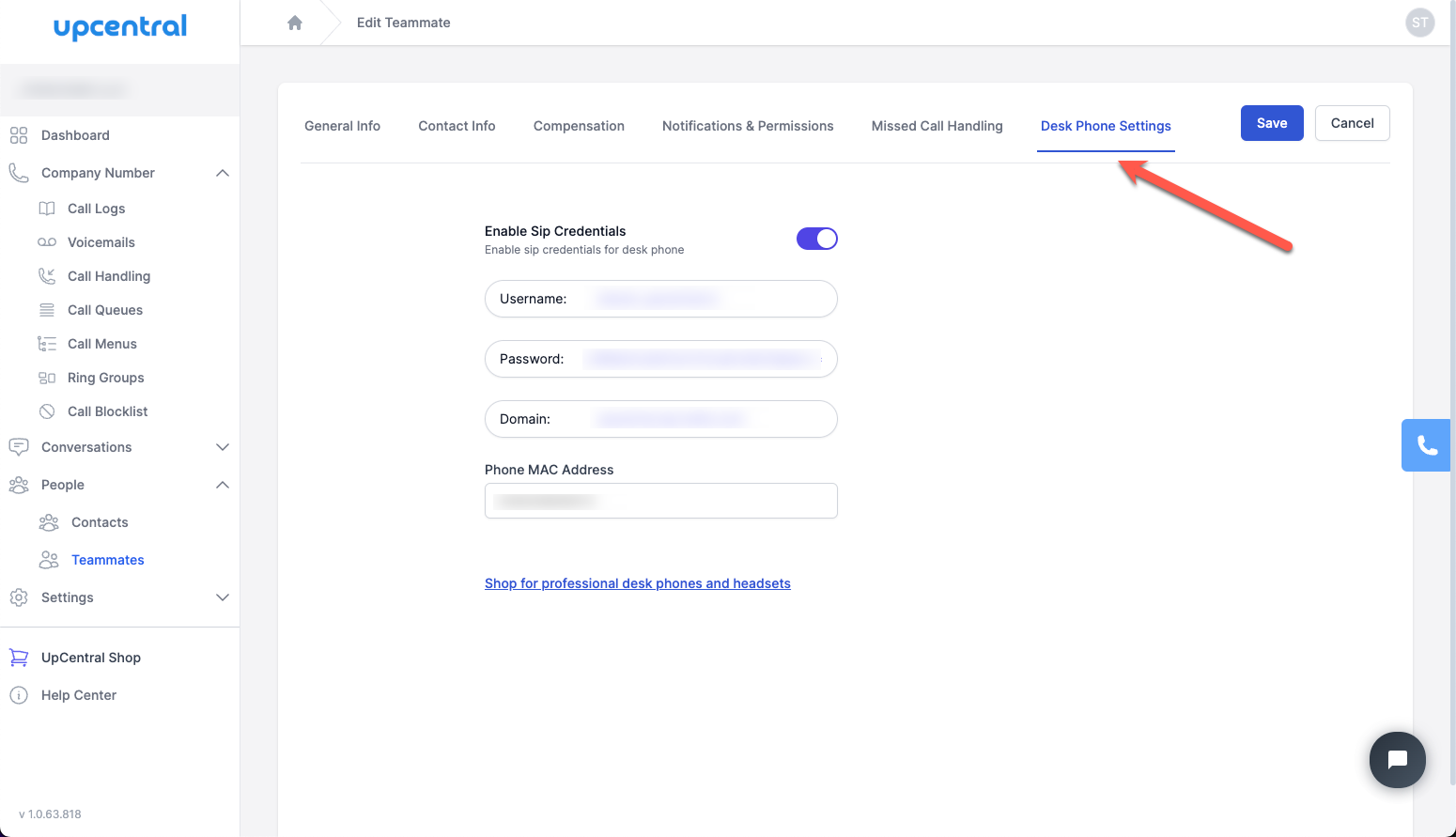
You can retrieve your SIP credentials to connect your VOIP desk phone to your teammate's account/extension by navigating to People -> Teammates and select the teammate you want to configure the VOIP desk phone for.
Next select the Desk Phone Settings tab as can be seen in the screenshot below and turn on the Enable SIP Credentials toggle to obtain the SIP credentials.
If you need to purchase a VOIP desk phone for yourself or teammates, please visit our online shop @ **https://shop.upcentral.io/**